

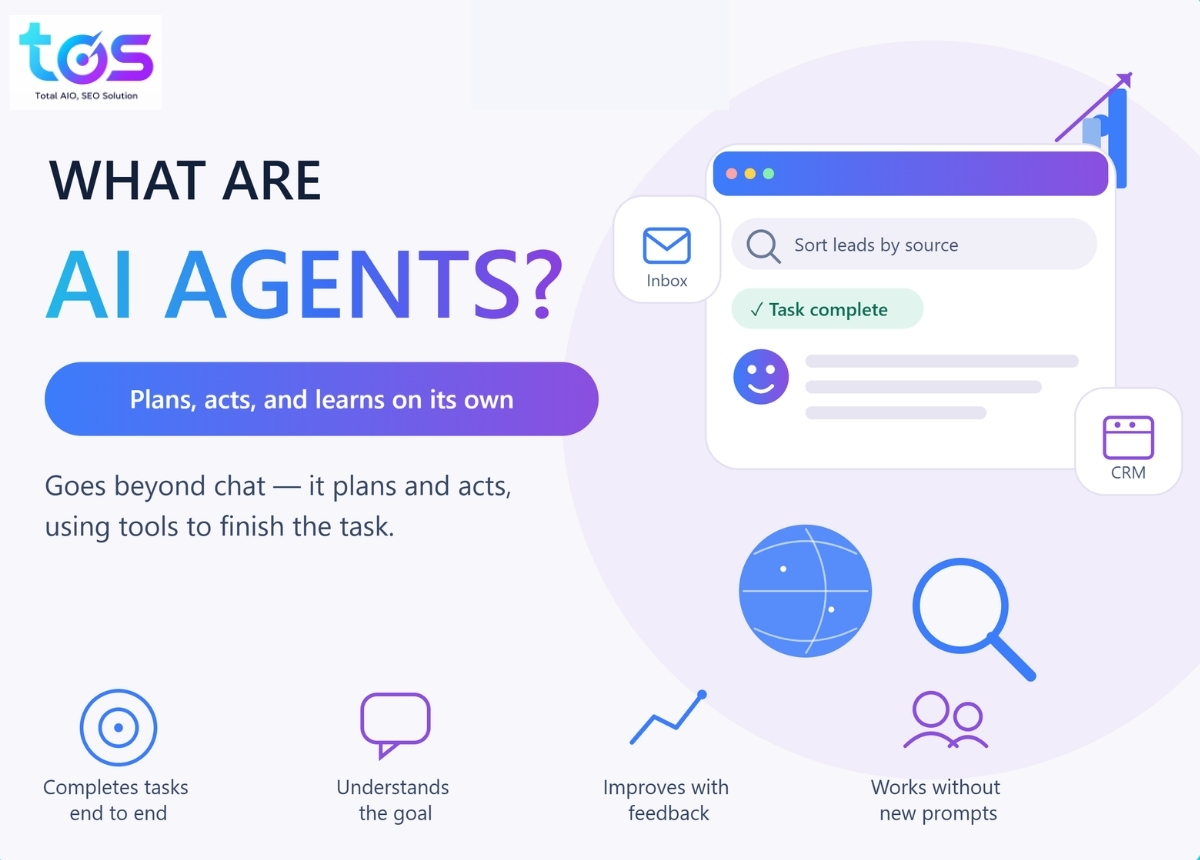



An AI agent is a software system that pursues a goal on its own, without a person guiding each step. It perceives information, plans a sequence of actions, and uses tools to carry them out. Unlike a chatbot, which only replies inside a chat window, an AI agent can call an API, fill out a form, or edit a spreadsheet to finish a task. This guide from TOS covers what AI agents are, the types available today, free and paid tools worth testing, and a five-step plan to start using one this week.
What Are AI Agents?
An AI agent is a software program built on a large language model (LLM), the technology behind tools like ChatGPT and Claude, that can plan, act, and adjust its own steps to reach a goal. A person sets the goal. The agent decides how to get there.
Google Cloud (2026) defines an AI agent as software that pursues goals and completes tasks on behalf of users, showing reasoning, planning, and memory along the way. IBM (2024) frames it as a system that designs its own workflow and picks the right tools to finish a job. Both descriptions point to the same core idea: the agent acts, not just answers.
A simple comparison makes this concrete. Ask a chatbot to draft a follow-up email, and it writes the text, which a person still has to copy, paste, and send. Ask an AI agent to follow up with a lead, and it can draft the email, check the CRM for the last contact date, send the message, and log the result. The agent closes the loop.
>>> Related article:
- What Is a Context Window? How Much an LLM Can Read at Once
- LLMO: What It Is and How to Get Cited by AI
- How to Get Cited by AI: ChatGPT, Gemini & Perplexity
AI Agent vs AI Assistant vs Chatbot vs RPA: What’s the Difference?
These four terms get mixed up often. That confusion wastes time when a marketing team briefs a vendor. Each one sits at a different point on the autonomy scale, from fixed rules to independent goal-pursuit.
| System | Sets its own subtasks? | Needs a new prompt per step? | Typical example |
|---|---|---|---|
| Chatbot | No – follows a script or trained intents | Yes, one reply per message | A website FAQ widget |
| RPA (robotic process automation) | No – follows a fixed rule set | No, but breaks on any unplanned step | Copying invoice data between two systems |
| AI assistant | Partially – suggests actions, person approves | Often, for anything beyond the request | Microsoft Copilot, a support co-pilot |
| AI agent | Yes – plans and re-plans on its own | No, works from one starting goal | An agent that qualifies and routes leads end to end |
A chatbot follows a script or a set of trained intents. It answers within a chat window and stops when the conversation ends. RPA automates a fixed, rule-based process, such as copying data from one system to another. It cannot handle a step the rule did not anticipate. An AI assistant, such as a customer-support co-pilot, responds to requests and can suggest actions, but a person still approves the next move. An AI agent goes further: it sets its own subtasks, chooses tools, and keeps working from only a starting goal.
IBM (2026) uses a talent-agency comparison to explain the assistant-versus-agent gap. An assistant runs errands on request. An agent works around the clock toward a client’s long-term interest, even without new instructions each time.
How do AI Agents work?
An AI agent runs on four connected parts: a model for reasoning, a memory for context, a set of tools for taking action, and a planner for sequencing steps. Remove any one part, and the system falls back to a plain chatbot.
The Core Components
- Model (the “brain”): a large language model such as ChatGPT, Claude, or Gemini interprets the goal and decides what to do next.
- Memory: short-term memory holds the current conversation; long-term memory stores past interactions, so the agent does not ask the same question twice.
- Tools: APIs, databases, browsers, or code execution let the agent act outside the chat window – for example, querying a CRM or sending an email.
- Planner: this module breaks a broad goal into ordered subtasks, so the agent tackles one step at a time instead of guessing at the whole task.
The Agent Loop, Step by Step
AWS (2026) breaks the agent’s workflow into three moves: determine the goal, gather information, then carry out the task. IBM (2024) adds a fourth step: after acting, the agent reflects on the result and adjusts before the next round.
A concrete example makes the loop easier to follow. Picture a marketing team asking an agent to find last month’s three worst-performing blog posts and suggest a fix – this is an illustrative example, not a reported case. The agent breaks the goal into subtasks: pull traffic data, rank pages by drop-off, then check on-page factors. It queries Google Search Console through an API, drafts a fix for each post, and flags any post it cannot diagnose for human review.
Types of AI Agents
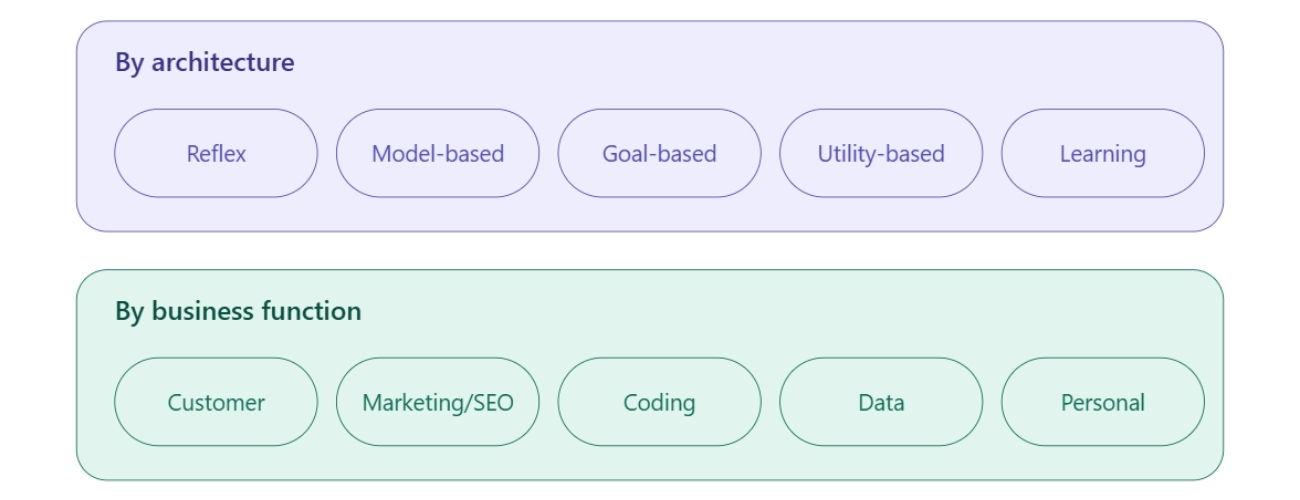
AI agents can be grouped in two useful ways: by how they reason internally, or by what job they do. Most marketing teams only need the second lens day to day, but the first explains why some agents feel “smarter” than others.
By Architecture (the 5 Classic Types)
IBM (2025) and AWS (2026) both use this five-part taxonomy, drawn from decades of AI research:
- Simple reflex agents act on fixed if-then rules and hold no memory. Example: a thermostat that turns on heating at a set time.
- Model-based reflex agents keep an internal model of their surroundings, so they handle partial or changing information. Example: a robot vacuum that remembers which rooms it already cleaned.
- Goal-based agents plan a sequence of actions toward a defined goal. Example: a navigation app that recalculates the route when a faster path opens up.
- Utility-based agents weigh several paths to a goal and pick the one that scores highest on cost, speed, or another metric. Example: a flight-search tool that balances price against travel time.
- Learning agents improve from feedback over time. Example: an e-commerce recommendation engine that refines suggestions as a shopper keeps browsing.
Most commercial AI agents sold today, including the tools listed later in this guide, are learning agents built on an LLM foundation.
By Business Function
This second lens groups agents by the job they do. It matters more when comparing tools:
- Customer agents: handle support tickets, FAQs, and order lookups.
- Marketing and SEO agents: research keywords, audit content, and track rankings.
- Coding agents: write, test, and debug code – examples include Devin and GitHub Copilot’s agent mode.
- Data agents: analyze datasets and flag anomalies.
- Personal-productivity agents: manage calendars, book travel, or draft emails.
What can AI Agents do? Real-world applications
AI agents already run in production at large enterprises, not just in pilot projects. According to Google Cloud’s 2025 State of AI Infrastructure report, cited by Devoteam (2025), 98% of organizations were using or experimenting with generative AI, and a growing share of that usage now involves agents that act, rather than only generate text.
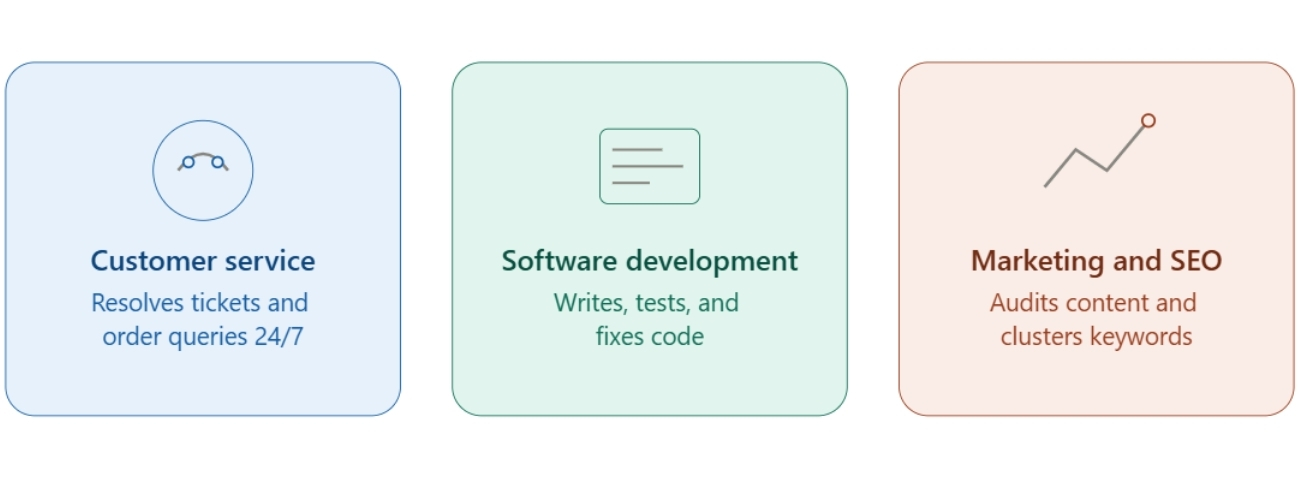
Three areas show the fastest adoption.
Customer service
IBM (2026) reports that its own internal HR agent, AskHR, answers 94% of company-wide, lower-level HR queries without a human. In a separate case study, IBM (2026) found that Lenovo’s AI agents cut product-configuration setup time from 12 minutes to 2 minutes, contributing to a 12% improvement in on-time delivery and USD 5.88 million in added value within one year, based on Gartner data cited by IBM.
Software development
Coding agents such as Devin write code, run tests, and fix bugs with limited human review, working more like a junior engineer than an autocomplete tool.
Marketing and SEO
Agents can scan a competitor’s content for gaps, cluster keywords by intent, and draft a first pass of on-page recommendations. This is the same workflow TOS applies when building a content plan for a client.
AI Agent Tools: Free, Paid, and Downloadable Options
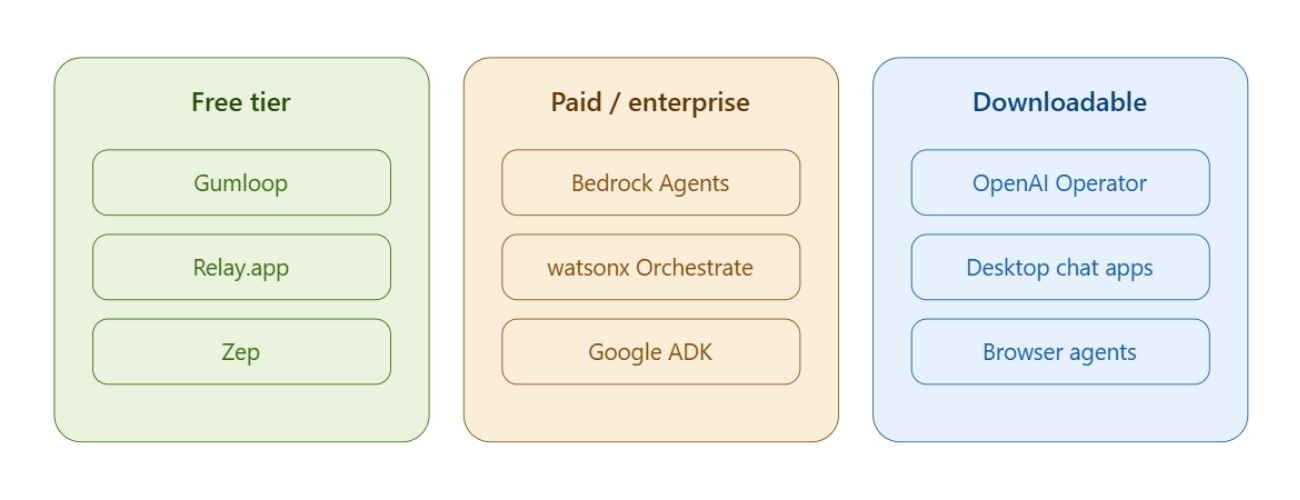
This is the question most readers actually want answered: which tool to open first. The list below splits by budget and by how the tool is delivered.
Free AI agent tools to try first
- Gumloop
- No-code, drag-and-drop platform for building automated workflows – similar to combining Zapier with an LLM
- Connects tools, models, and apps into reusable “flows,” with templates for tasks like SEO research and web scraping
- Free: 1,000 credits
- Paid: $97/mo for 30,000 credits (Starter), $297/mo for 75,000 credits (Pro), custom Enterprise
- Relay.app
- Built for small teams automating day-to-day work such as lead enrichment and customer support handoffs
- Integrates with common SaaS tools, including templates for enriching CRM records from LinkedIn
- Free: 500 LLM credits
- Paid: $11.25/mo for 1,000 credits (Pro), $73.75/mo for 2,000 credits with unlimited users (Team), custom Enterprise
- Zep
- A memory layer for developers building custom agents, not a no-code builder
- Adds long-term memory and context retention to an existing agent stack; runs in production for organizations including WebMD
- Free: 2,000 messages/month
- Paid: $99/mo for 75,000 messages (Team), $640/mo for 500,000 messages (Growth), custom Enterprise
Paid and enterprise-grade platforms
- Amazon Bedrock Agents
- Part of AWS’s Bedrock platform, giving agents access to 100+ foundation models through one API
- No separate flat fee for Agents – cost comes from model tokens, tool calls, and any Knowledge Base or Guardrails usage, billed per token
- No free tier, though inexpensive models like Amazon Nova Micro keep small-scale testing cheap
- Best for: teams already running on AWS infrastructure
- IBM watsonx Orchestrate
- Enterprise platform for building and governing AI agents at scale
- 150+ prebuilt connectors to systems like Salesforce, SAP, and Workday
- Free: 30-day trial, no credit card required
- Paid: Essentials from ~$500/mo; Standard and Premium add prebuilt domain agents (HR, procurement, sales) and stricter compliance controls, both custom-priced
- Best for: large organizations that need audit trails across many agents
- Google Agent Development Kit (ADK)
- Open-source, code-first framework (Python, TypeScript, Go, Java) for building multi-agent systems – the same one powering Google’s own Agentspace product
- Free: the framework itself, under an Apache 2.0 license
- Paid: running an agent in production on Vertex AI Agent Engine bills separately for compute and model usage
- Best for: development teams that want full control over agent architecture rather than a no-code interface
Downloadable AI agent apps
Some agents run as a desktop or browser app rather than a cloud dashboard. OpenAI’s Operator, still in beta at the time of writing, installs as a browser-based agent that fills out web forms the way a person would.
How to Start Using an AI Agent: A 5-Step Guide for Beginners
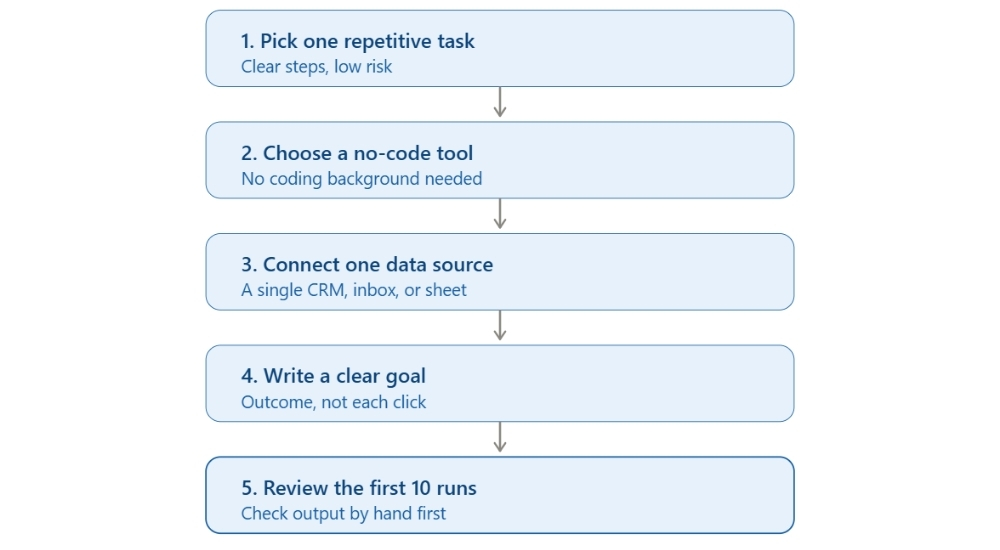
Marketing teams do not need a developer to test a first AI agent. Five steps cover most small-business use cases.
- Pick one repetitive task. Choose a task with clear steps and low risk, such as sorting inbound leads by source. Skip tasks that involve legal or financial judgment calls at first.
- Choose a no-code tool. Gumloop, Relay.app, and Stack AI all offer drag-and-drop builders that need no coding background.
- Connect one data source. Link a single tool first – a CRM, an inbox, or a spreadsheet – rather than every system at once.
- Write a clear goal, not a script. Tell the agent the outcome you want, not each click. For example: “Flag any lead that has not replied in 5 days,” not a list of button clicks.
- Review the first 10 runs by hand. Check every output for the first 10 to 20 runs before trusting the agent to run unsupervised.
Benefits and Challenges of AI Agents
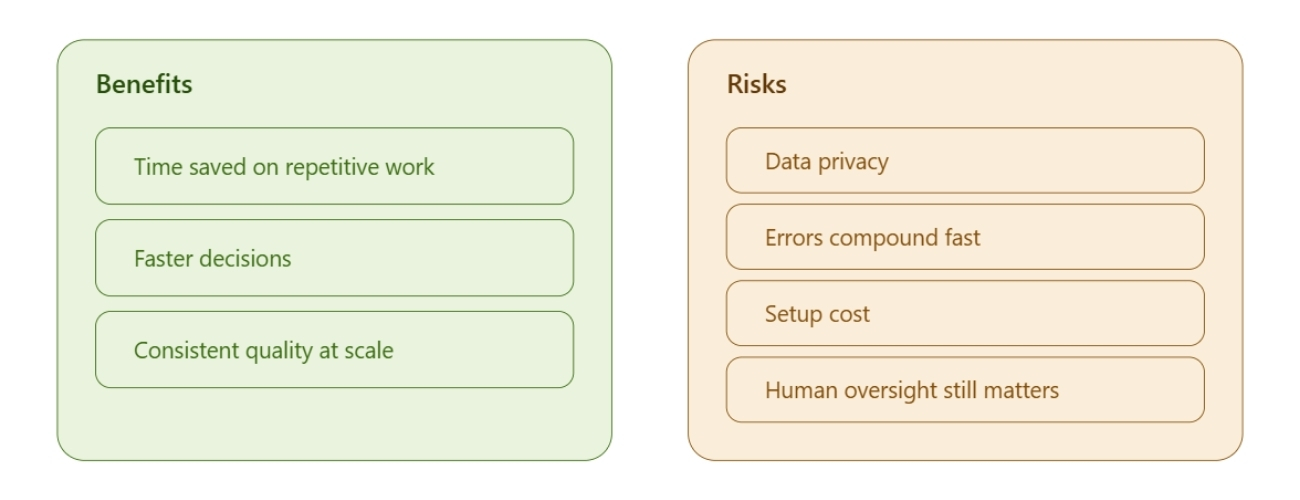
Key Benefits
- Time saved on repetitive work: agents take over tasks like data entry or first-draft replies, freeing staff for higher-value work.
- Faster decisions: agents process real-time data and surface a recommendation in seconds, not hours.
- Consistent quality at scale: an agent applies the same standard to task 1,000 that it applied to task 1.
Key Challenges and Risks
- Data privacy: agents that touch customer data must meet the same privacy standards as any other system handling that data.
- Errors compound fast: AWS (2026) notes that agents can fall into “infinite feedback loops” if a plan fails without a way to self-correct.
- Setup cost: IBM (2024) points out that building a custom agent from scratch demands real compute budget and technical time, even before it reaches production.
- Human oversight still matters: IBM’s own guidance recommends human approval before an agent takes high-impact actions, such as sending a mass email or making a financial trade.
AI Agents and SEO: Why This Matters for Marketing Teams
AI agents are changing how people search. That shift affects every SEO strategy running today. Search tools like ChatGPT, Gemini, and Perplexity now answer questions directly, often without sending a click to the source website – a shift TOS tracks under Generative Engine Optimization (GEO), the practice of optimizing content so AI systems cite it as a source.
A brand that never appears in an AI agent’s source list loses visibility long before a person reaches a traditional search results page. TOS runs a GEO Audit to check whether a website is being cited by AI agents and AI search tools, then builds a plan to close the gap.
>>> CONTACT US <<<
Frequently Asked Questions About AI Agents
1. Is ChatGPT an AI agent?
No. ChatGPT is a large language model that generates text on request. It cannot set its own goals, send an email on its own, or remember a user across separate sessions unless a developer builds that feature on top of it.
2. Are AI agents free?
Some are. Gumloop, Relay.app, and Zep each offer a free tier with limited credits or messages per month. Enterprise-grade platforms, such as Amazon Bedrock Agents or IBM watsonx Orchestrate, charge based on usage or a fixed contract.
3. Do I need to code to build an AI agent?
No, for most business use cases. No-code platforms like Gumloop, Relay.app, and Stack AI use a drag-and-drop interface. Custom agents built with a framework such as LangChain still require a developer.
4. Can AI agents replace human employees?
Not entirely, for now. Agents handle repetitive, well-defined tasks reliably. Decisions that involve ethics, complex negotiation, or legal judgment still need a person to review the outcome.
5. What’s the difference between an AI agent and agentic AI?
An AI agent is one system pursuing one goal. Agentic AI is the broader approach – often several agents working together – that gives software the ability to plan and act with less human oversight.
AI agents move software from answering to doing. A chatbot writes a reply; an agent sends it, checks the result, and moves to the next task. The five-step plan in this guide – pick one task, choose a no-code tool, connect one data source, set a clear goal, and review the first runs by hand – works for most marketing teams starting out. Teams that want AI agents to also protect their SEO and AI-search visibility can start with a free scan from TOS’s AI Visibility Checker, then talk to TOS about a full GEO/AIO strategy.
AI Visibility Checker – Free | TOS
Related articles:
- AI token price & real cost for content
- AEO vs SEO vs GEO vs AIO: What’s the Difference?
- AI Crawlers (AI Bots): The Complete List and Priority Order for GEO
 TOS · Search AI Agency
Get fresh SEO & AI insights — every day
Curated, practical, no spam. Join marketers who read TOS first.