




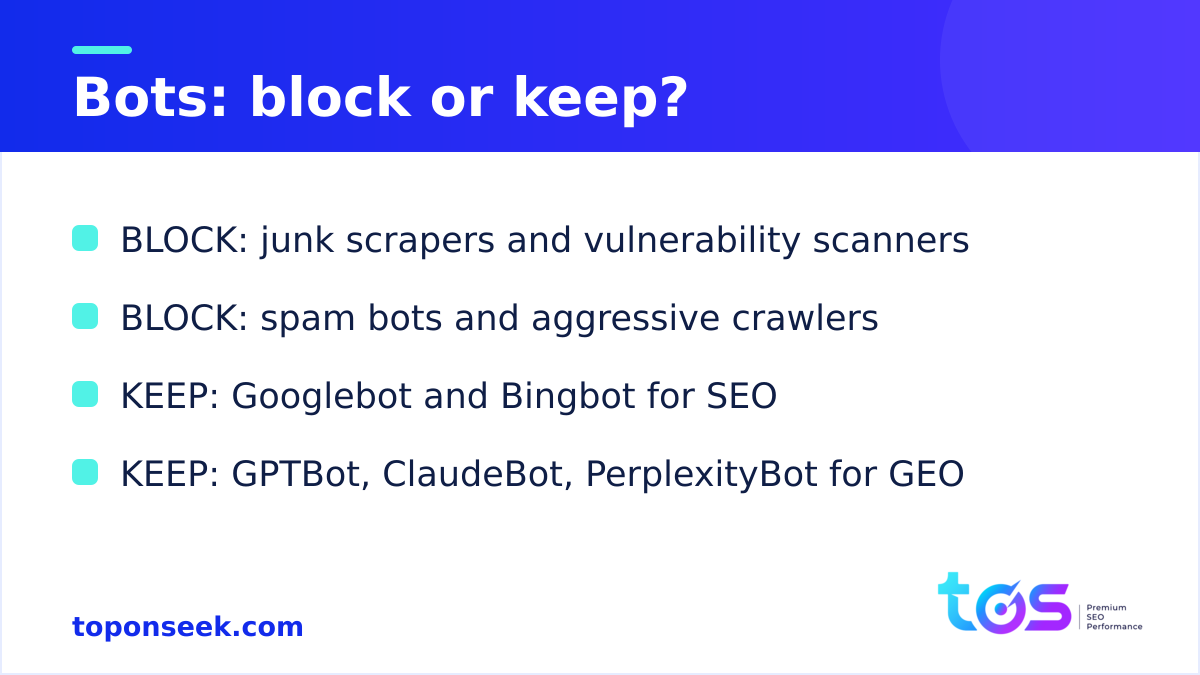
The bots to block are only the ones that bring no value: aggressive AI-training scrapers, vulnerability scanners, spoofing or blank user-agent bots, content resellers, SEO crawlers of tools a business does not use, and spam bots. Search engine bots such as Googlebot and Bingbot, together with AI answer bots such as ChatGPT-User, PerplexityBot and ClaudeBot, must stay fully allowed, because blocking them by mistake means losing SEO rankings and AI visibility (GEO). TOS separates junk traffic from valuable crawlers so a website stays fast, secure and clean without sacrificing a single citation.
- Block only junk bot groups: aggressive AI-training scrapers such as Bytespider, vulnerability scanners, spoofing or blank user-agent bots, content resellers, unused SEO crawlers, and spam bots.
- Keep every search and AI answer bot; blocking the right junk bots does not affect rankings or AI presence.
- The payoff: lower server load, faster pages, stronger security, protected content, and cleaner analytics.
Why block certain bots?
Blocking certain bots is worth doing because much automated traffic consumes server resources and bandwidth while returning nothing: no visitors, no citations, no ranking signal. Not every crawler deserves the same treatment. A practical habit is to sort each visitor by value, an approach covered in the TOS overview of types of website bots. Search and AI answer bots earn their place by producing rankings and citations; junk bots only add cost.
Blocking the right junk bots does not affect rankings or AI presence, because the search and answer bots stay allowed. The mistake to avoid is blanket blocking, which quietly removes the very crawlers that generate traffic and AI citations.
Top bots and crawlers you should block
The bots worth blocking fall into seven groups, each defined by low or negative value to the website they visit. The table below summarizes each group; the sections that follow add detail.
| Bot group | Examples | Why block | What blocking is good for |
|---|---|---|---|
| Aggressive AI-training scrapers that ignore robots.txt | Bytespider (ByteDance/Doubao) | High crawl rate, ignores robots.txt, no traffic or citations for most sites | Saves resources and bandwidth, lowers server load |
| Malicious / vulnerability scanners | Brute-force on /wp-login.php, xmlrpc.php probes, shell scans (/alfacgiapi/), wp-config, /.env and .git probes | Attack behavior, not legitimate crawling | Security: smaller attack surface, fewer intrusion risks |
| Spoofing / blank user-agent bots | Misspelled Mozlila, empty user-agent, fake Googlebot or AI bot from unlisted IPs | Almost always disguised scrapers or attacks | Content protection, cleaner traffic |
| Content scrapers / data resellers | Omgilibot (Webz.io), Diffbot | No benefit to the site, consume resources, risk content duplication | Content protection and resource saving |
| SEO crawlers of unused tools | MJ12bot (Majestic), DotBot (Moz), BLEXBot (WebMeUp), PetalBot (Huawei), MBCrawler, SEBot-WA | Consume crawl budget with no value if the tool is unused | Saves crawl budget, tidier logs |
| Spam bots | Comment spam, form spam, referrer spam, xmlrpc pingback abuse | Create junk and can be abused for reflection DDoS | Clean analytics, less spam, lower load |
| Optional: image-AI bots | ImagesiftBot (Hive/ImageSift) | Copyright control over image training | Control over how images are used in training |
1. Aggressive AI-training scrapers such as Bytespider
Bytespider, the crawler ByteDance operates for its Doubao models, is the clearest example of a scraper worth blocking. It crawls at very high frequency, often disregards robots.txt, and returns no visits or citations for most businesses outside the TikTok and Chinese ecosystem. Data observed on TOS’s systems (August 2026) shows the scale: before blocking, Bytespider generated roughly 28,000 requests per day, about 13 percent of all traffic reaching TOS. After a server-level block, every request received a 403 and Bytespider self-reduced to around 4,000 requests per day, since the bot backs off when blocked consistently. The block kept every GEO-valuable AI bot allowed.
2. Malicious and vulnerability scanners
Vulnerability scanners probe a site for weaknesses to exploit, which is an attack rather than legitimate crawling. Common patterns include brute-force attempts against /wp-login.php, probes of xmlrpc.php for pingback or password guessing, scans for shell paths such as /alfacgiapi/, and requests hunting for wp-config, /.env, or .git files. Data observed on TOS’s systems (August 2026) records a steady stream of POST requests probing for shells and exploits, all answered with a 403. Blocking this group is a security measure that shrinks the attack surface, resists exploitation, and reduces takeover risk.
3. Spoofing and blank user-agent bots
Bots that fake or omit their user-agent are almost always disguised scrapers or attacks, because a legitimate crawler has no reason to hide. Typical signs include a misspelled string such as Mozlila imitating Mozilla, an empty user-agent, or a request claiming to be Googlebot or an AI bot yet arriving from an IP outside the provider’s published range. This group ignores robots.txt and can only be stopped at the server or WAF layer combined with IP verification. Blocking these bots protects content and filters out junk traffic.
4. Content scrapers and data resellers
Content scrapers copy articles, images, and product data to resell or repackage, offering nothing to the site they harvest. Examples include Omgilibot (Webz.io), which sells web data, and Diffbot, which builds a commercial knowledge graph. These crawlers consume resources and risk content being duplicated elsewhere, so blocking them protects content and saves resources. As a nuance, a business wanting its data in a shared open dataset can keep CCBot allowed, which is a copyright option rather than a performance one.
5. SEO crawlers of tools a business does not use
SEO crawlers only earn their keep when a business actually uses the tool behind them. Crawlers such as MJ12bot (Majestic), DotBot (Moz), BLEXBot (WebMeUp), PetalBot (Huawei), MBCrawler, and SEBot-WA consume crawl budget and resources with no value if the owner does not subscribe to those platforms. The important exception: keep AhrefsBot and SemrushBot allowed if the business uses Ahrefs or Semrush, since those tools need their crawlers to gather audit data. The payoff is a leaner crawl budget and tidier logs.
6. Spam bots
Spam bots exist to inject junk through comments, contact forms, referrer logs, and xmlrpc pingbacks, and some can be abused to launch reflection DDoS attacks. They pollute data and waste capacity. On WordPress, the practical defence is to disable comments and pingbacks and to block wp-comments-post.php and xmlrpc.php at the nginx layer. Blocking spam bots keeps analytics and logs clean, cuts spam, and lowers load.
7. Optional: image-collecting AI bots
Blocking image-collecting bots such as ImagesiftBot (Hive/ImageSift) is an optional copyright choice, not a performance necessity. A business that wants to keep its images out of visual-model training can block this group; one that does not mind the exposure can leave it allowed. The benefit is control over whether images train AI models.
Bots you must never block
Search engine bots and AI answer bots must stay allowed at all times, because blocking them causes a silent loss of SEO rankings and AI visibility that is hard to notice until traffic has already slipped. Old SEO traffic lingers, so an accidental block of an answer or search bot does its damage quietly. Judge every bot by the value it brings, not by its request count: a low-volume crawler like OAI-SearchBot still matters. The TOS deep-dive on AI crawlers ranks these bots by priority.
| Keep allowed | Why |
|---|---|
| Googlebot | Feeds Google Search and AI Overviews; blocking it drops indexing and rankings |
| Bingbot | Feeds both Bing search and Copilot |
| ChatGPT-User, OAI-SearchBot (OpenAI) | Fetch and retrieval bots that place a brand in ChatGPT answers |
| PerplexityBot, Perplexity-User | Put a brand into Perplexity answers |
| ClaudeBot, Claude-User (Anthropic) | Feed the answers Claude generates |
| Applebot | Powers Apple Intelligence and Siri results |
| meta-externalagent | Feeds Meta AI |
| DuckAssistBot | Feeds the DuckDuckGo assistant |
| Google-Extended, GPTBot, CCBot | Training bots; keep by default and opt out only for a specific copyright reason (blocking training does not remove current citations) |
| AhrefsBot, SemrushBot | Keep if the business uses Ahrefs or Semrush for SEO audits |
| Zalo / Facebook link preview | Generate rich previews when links are shared |
What is blocking bots good for?
Blocking junk bots pays off across performance, security, and data quality, all without touching search rankings or AI presence. The main benefits:
- Resource and bandwidth savings: junk bots can account for tens of percent of requests, and Bytespider alone reached about 13 percent on TOS.
- Speed and stability: with less junk load, the server serves real users and good bots faster.
- Security: blocking scanners, exploits, and brute-force shrinks the attack surface and lowers intrusion risk.
- Content protection: fewer scrapers copying articles, images, and data.
- Cleaner data: analytics and logs carry less bot noise, so measurement is more accurate.
- Lower cost: less bandwidth and CPU means lower infrastructure spend on high-traffic sites.
- No SEO or GEO impact: because only junk bots are blocked, every search and AI answer bot stays allowed.
How to block bots the right way
The right method depends on whether a bot respects the rules, because robots.txt only works on crawlers that choose to obey it. A layered approach covers every case:
- Compliant bots (some SEO crawlers): declare the User-agent line for that bot with Disallow set to the whole site in robots.txt.
- Non-compliant or spoofing bots (Bytespider, scrapers, scanners): block at the server layer (nginx or Apache) or WAF, either by user-agent, for example an nginx rule returning a 403 when the user-agent matches Bytespider, MJ12bot, or similar, or by verified IP range.
- Spam bots: disable comments and pingbacks, and block wp-comments-post.php and xmlrpc.php at nginx.
- Verify before blocking: confirm a bot is genuine via the provider’s published IP ranges and reverse DNS, so a real Googlebot with a spoofed user-agent is not blocked by mistake.
- Review logs regularly: new bots appear constantly, so audit logs weekly or monthly, block only high-load, low-value groups on purpose, and leave the search and answer groups open by default.
The TOS setup is a working example: Bytespider and a set of bad bots such as MJ12bot, DotBot, and PetalBot are blocked at nginx with a 403, while Googlebot, Bingbot, every GEO-relevant AI bot, and the Ahrefs and Semrush crawlers in active use stay fully allowed.
TOS can help
TOS builds bot-management rules that block junk traffic while protecting every crawler that feeds SEO and GEO. The team can audit server logs, design nginx and WAF rules, and set a safe allow-list, keeping a site fast and secure without losing an AI citation. To check whether a site’s robots.txt lets the main AI crawlers in and to score its other GEO signals, start with the free AI visibility check tool and reach out for a tailored bot-management plan.
Conclusion
Choosing the right bots to block comes down to value rather than raw request counts. The groups worth blocking share one trait: they consume resources, bandwidth, and attention while returning no visitors, no citations, and no ranking signal. Aggressive scrapers such as Bytespider, vulnerability scanners, spoofing bots, content resellers, unused SEO crawlers, and spam bots all fit that description, and blocking them frees server capacity, shrinks the attack surface, protects original content, and keeps analytics clean. None of this costs a ranking or an AI citation, because the block never touches Googlebot, Bingbot, or the AI answer bots that drive GEO. The data observed on TOS’s systems in August 2026 shows the upside clearly: removing a single scraper reclaimed about 13 percent of traffic with no SEO loss. The safe pattern is straightforward, namely block junk with intent, verify before blocking, keep every search and answer bot, and review logs on a regular schedule.
Frequently asked questions
Should I block all bots?
No, blocking all bots would remove the crawlers that generate rankings and AI citations. Search bots such as Googlebot and Bingbot and AI answer bots such as ChatGPT-User and PerplexityBot must stay allowed, because they are how a brand appears in search results and AI answers. The right approach is selective: block only junk groups such as aggressive scrapers, scanners, spoofing bots, content resellers, unused SEO crawlers, and spam bots. Judge each bot by value, not request count.
Does blocking Bytespider hurt SEO?
No, blocking Bytespider does not hurt SEO because it is not a search engine crawler. Bytespider belongs to ByteDance and feeds its Doubao models; it does not affect Google or Bing rankings and returns no visits or citations for most businesses outside the TikTok and Chinese ecosystem. Data observed on TOS’s systems in August 2026 showed Bytespider producing roughly 28,000 requests per day, about 13 percent of traffic, before it was blocked with no SEO consequence.
Does blocking AI bots hurt GEO?
Blocking AI answer bots does hurt GEO, which is exactly why they should stay allowed. Bots such as OAI-SearchBot, PerplexityBot, ClaudeBot, and Applebot decide whether a brand is quoted in AI answers, so blocking them causes a silent loss of AI visibility. Training bots such as GPTBot, Google-Extended, and CCBot are different: blocking them is a copyright choice that does not remove current citations. The safe default keeps every retrieval and answer bot open.
How do I block bots that ignore robots.txt?
Bots that ignore robots.txt can only be stopped at the server or WAF layer, not through robots.txt itself. The practical method is an nginx or Apache rule that returns a 403 when the user-agent matches a known bad string such as Bytespider or MJ12bot, or a block based on the provider’s verified IP ranges. Before blocking, confirm the bot is genuine using published IP ranges and reverse DNS, so a real Googlebot is never blocked by accident.
Does blocking bots speed up my site?
Yes, blocking junk bots frees server resources and usually improves speed and stability. Junk crawlers can account for tens of percent of requests, and Bytespider alone reached about 13 percent on TOS, so removing them lets the server spend its capacity on real users and valuable bots. The result is faster responses, fewer bottlenecks, and lower bandwidth and CPU costs on high-traffic sites. The gain is largest when a few aggressive scrapers dominate the log.
Should I block Ahrefs or Semrush?
Only block AhrefsBot and SemrushBot if the business does not use Ahrefs or Semrush. These crawlers gather the data that powers each tool’s audits, so a business that relies on them must keep their bots allowed or the reports will be incomplete. If neither tool is in use, their crawlers only consume crawl budget and resources with no return, which makes them reasonable to block. Keep the crawlers of tools in active use, and block the rest.
 TOS · Search AI Agency
Get fresh SEO & AI insights — every day
Curated, practical, no spam. Join marketers who read TOS first.